
Payments just got 10x easier.
Get full visibility into every commission, every payout, and exactly when it lands in your account.
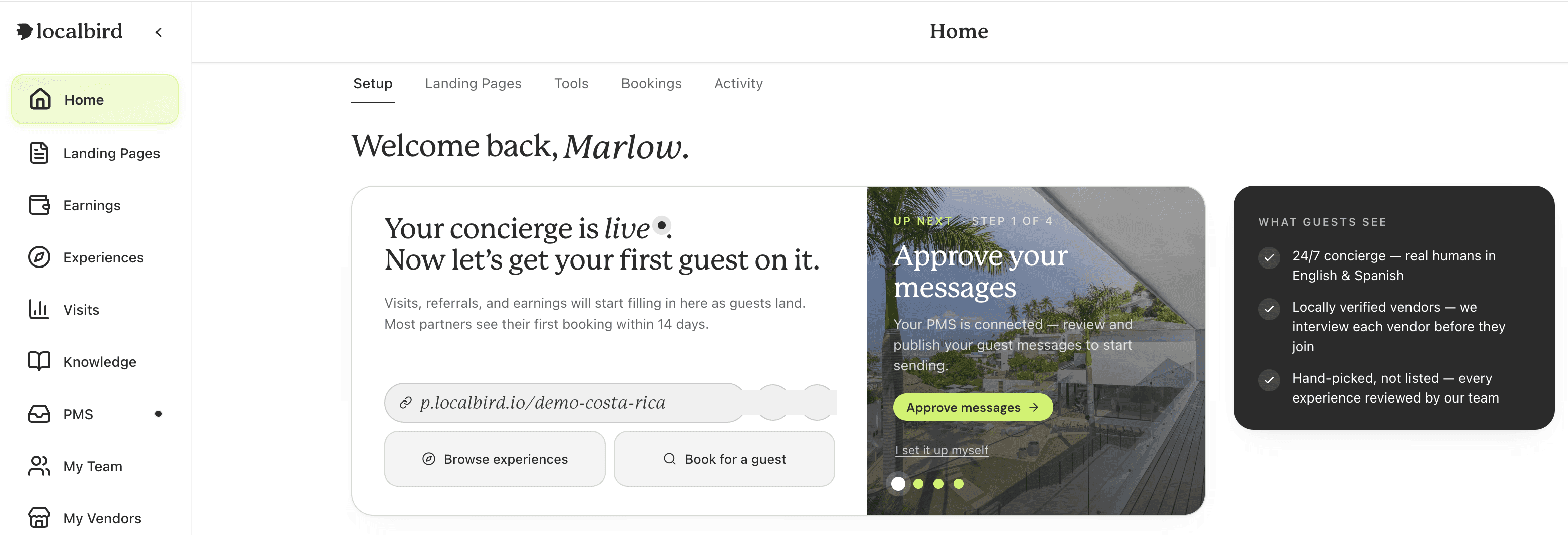
Everything you need, in one dashboard
Your page, your experiences, your visits, and your earnings, all centralized in one app, so you can see how everything is performing at a glance.
Your page
Manage and share the landing page your guests book from.
Experiences
Browse the experiences you offer to your guests.
Visits
See how many guests view your page and what they look at.
Earnings
Every commission and payout, and exactly when it lands.
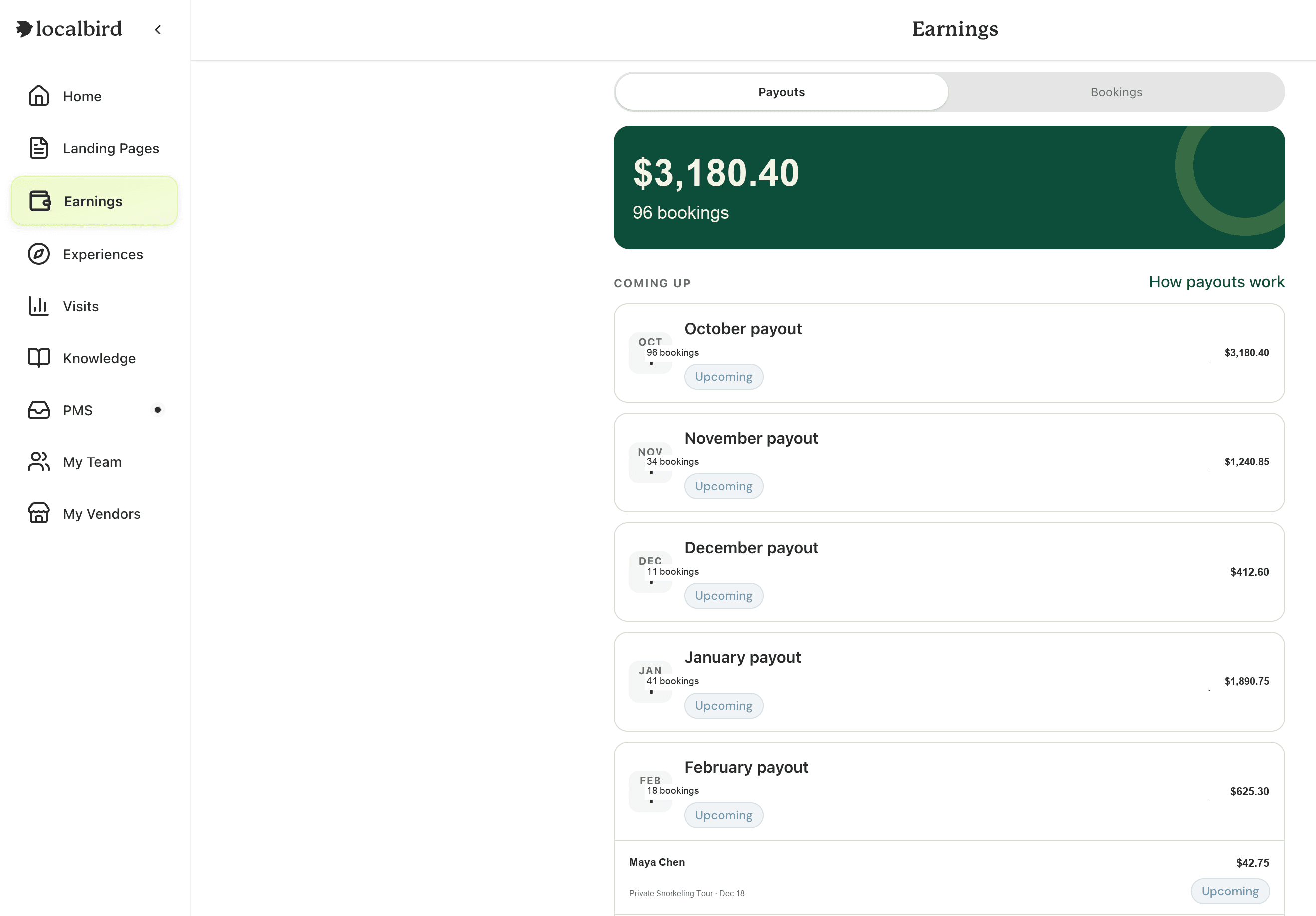
See every payout, upcoming or paid
Payouts are the payments we've made, or will make, to you. Your next payout is front and center, with every upcoming payout listed below it.
The new payout system, explained
Four steps, from a guest booking to money in your account.
- 1
You earn
You earn a commission when a guest books through your page.
- 2
It becomes payable
After the experience happens, on the 1st of the following month.
- 3
We create your payout
On the 1st we add up everything payable. If it's $30 or more, we create your payout. If not, it rolls into the next month.
- 4
You get paid
You approve the payout, we send it to your payout method, and you get a statement.
Click a payout, see every order inside it
Every payout expands into the individual bookings that make it up: guest name, experience, date, and commission, all in one list. Paid payouts work exactly the same way, so you can always confirm what a past payment covered.
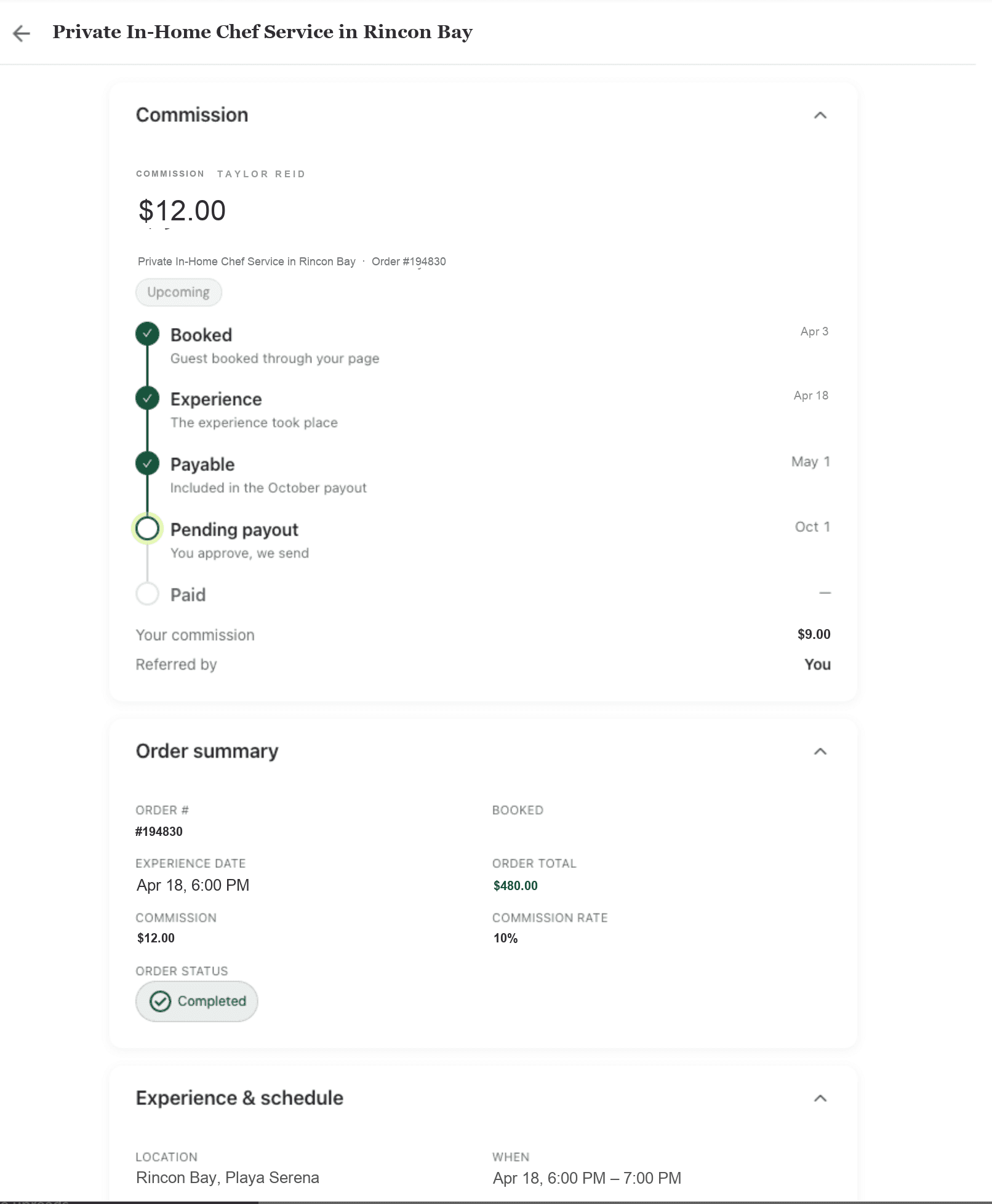
Every order, fully broken down
Click into any order to see what was booked and who booked it, with your commission tracked step by step:
- 01
Booked
When the guest made the booking.
- 02
Experience
When the experience takes place.
- 03
Payable
The 1st of the following month.
- 04
Paid
When your commission lands.
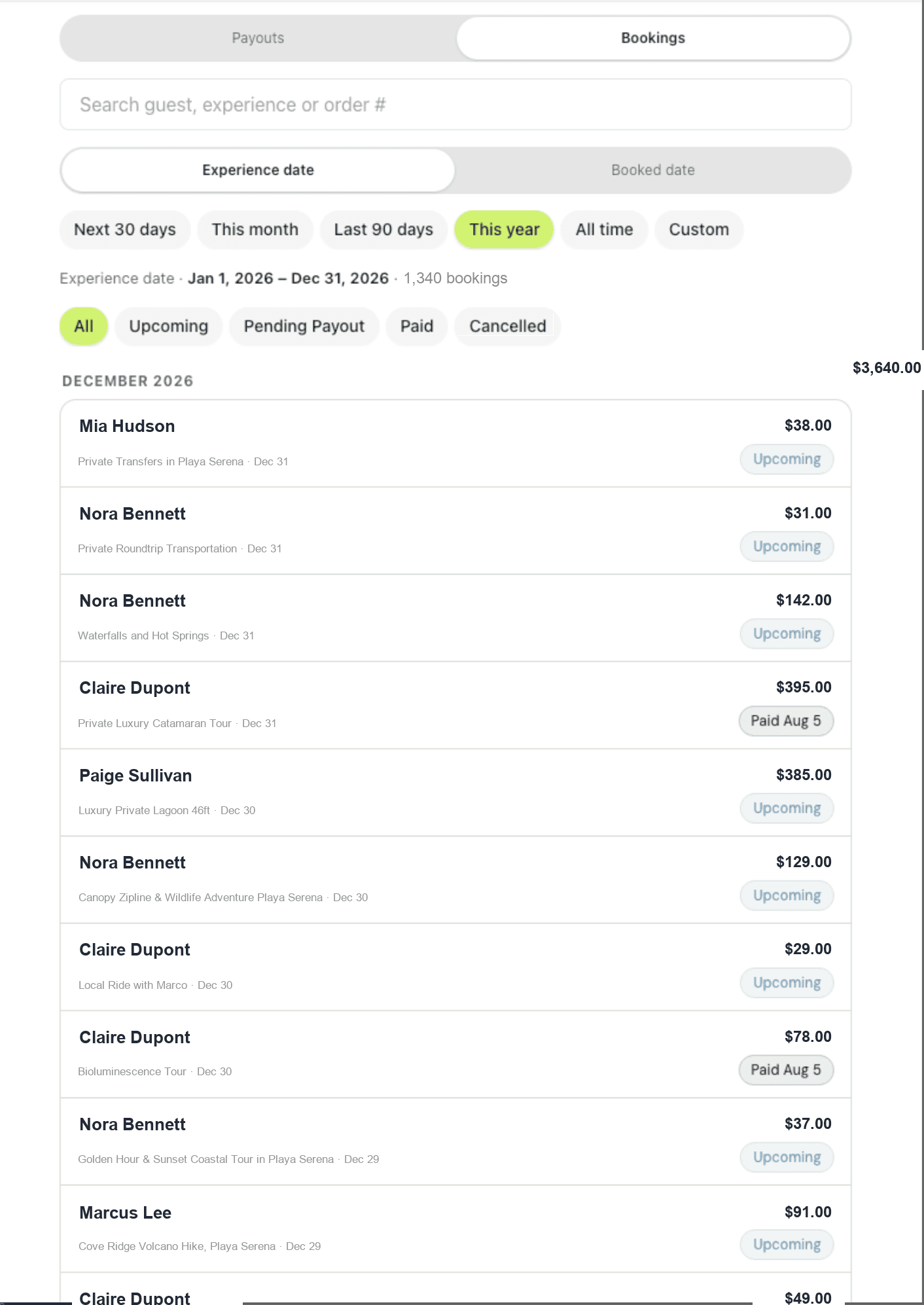
View bookings your way
The Bookings tab gives you two ways to filter, plus search to find anything fast.
Experience Date
Filter by when the experience takes place.
Booking Date
Filter by when it was booked.
Search
Find any booking by guest, experience, or order number.
Know exactly when you'll get paid, even for future bookings
Every booking, even one months out, shows its full payment timeline up front: when it was booked, when the experience happens, when it becomes payable, and when it lands in a payout.
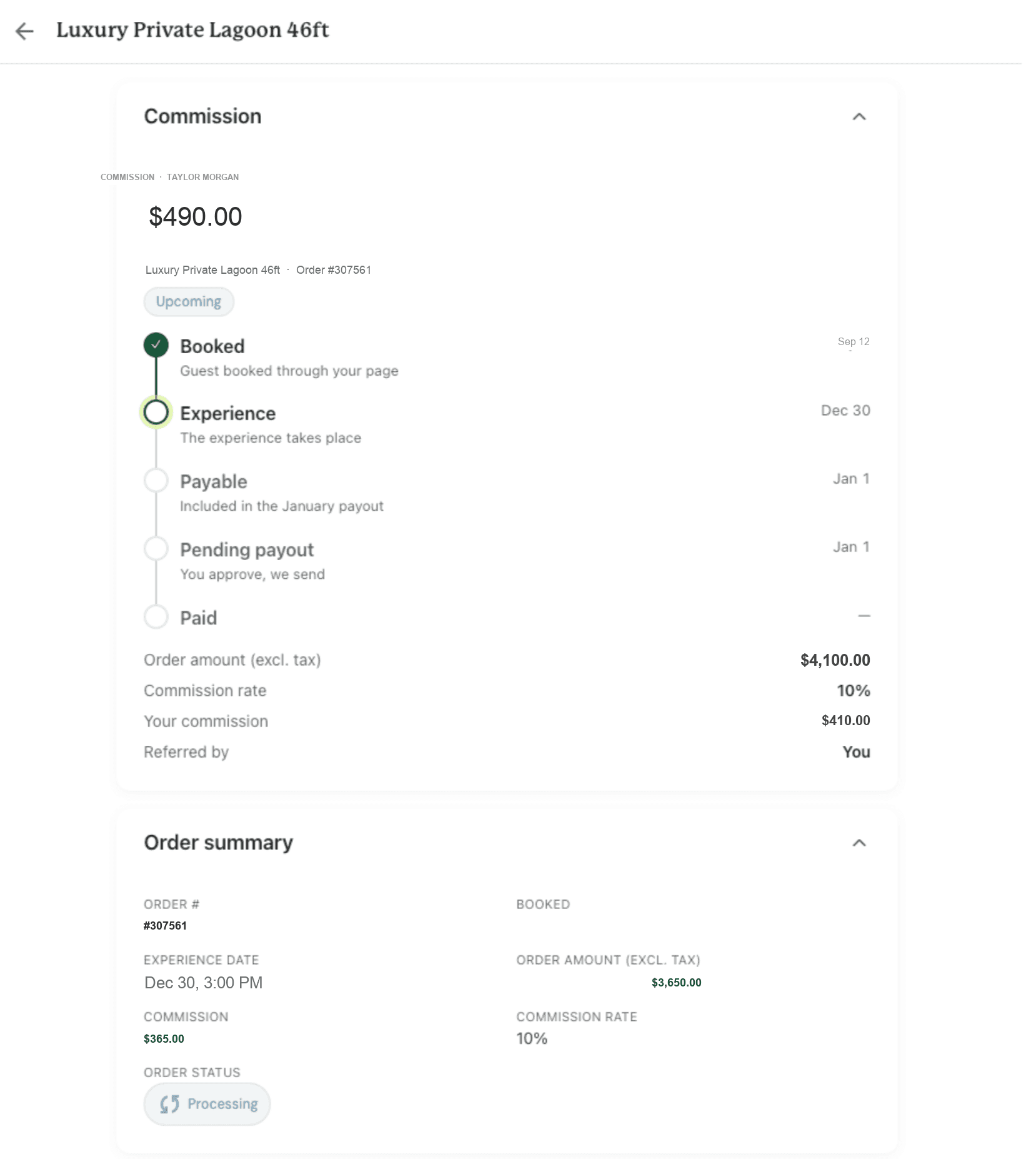
No more guessing. Every commission shows its payout date the moment it's booked.

See it live in your dashboard.
Log in to your Localbird partner dashboard to explore the new Earnings tab today.
Go to my dashboard → © Localbird